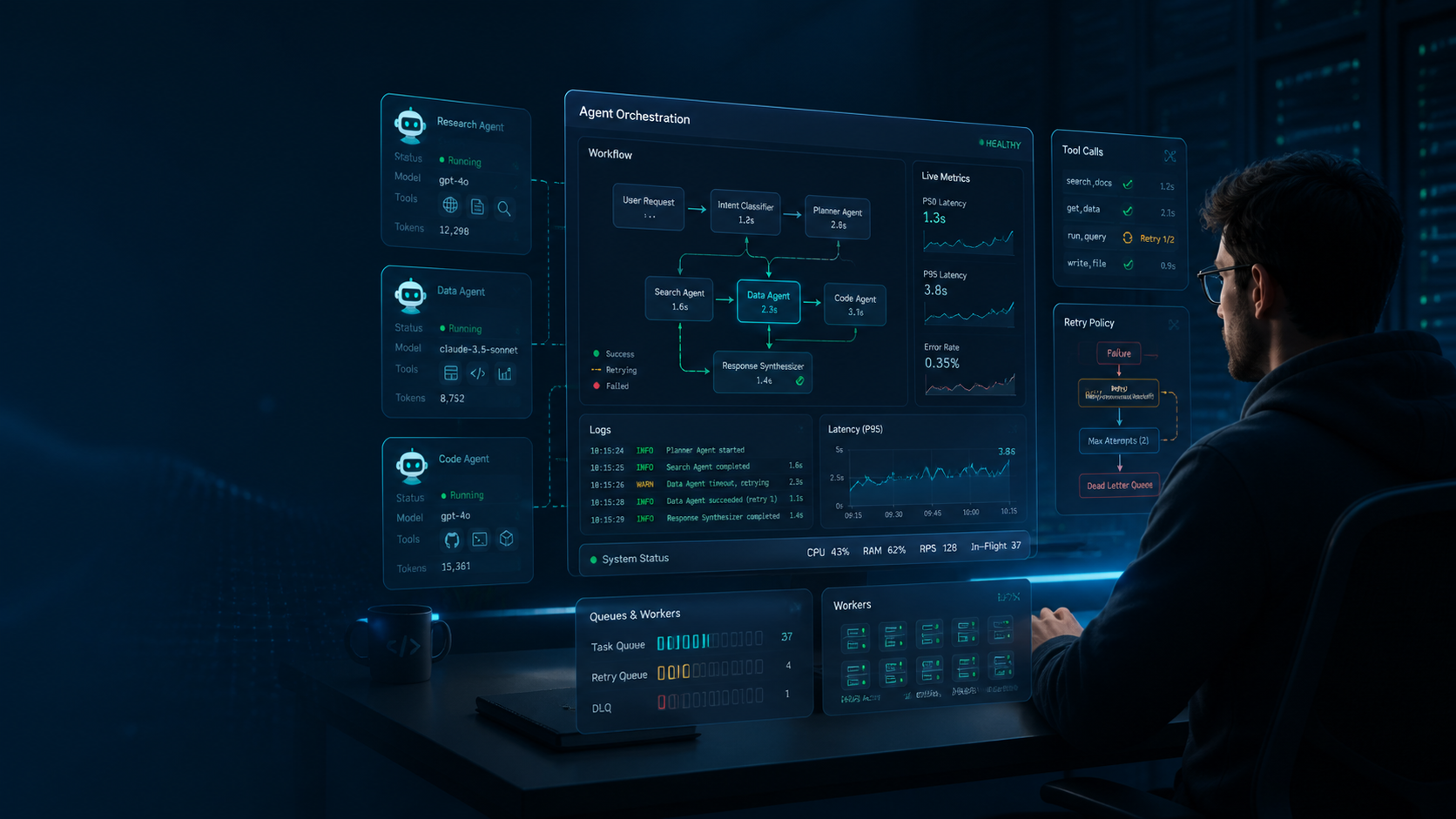
We’ve shipped AI agent systems that had to work under real production pressure — not just answer prompts, but handle retries, tool calls, latency spikes, and incomplete data. The biggest lesson is simple: most agent demos look impressive, but most production agents fail because they are not designed like systems.
Why Most AI Agents Fail in Production
Building a demo agent is easy. Building one that can reliably handle hundreds of operations per hour without hallucinating, timing out, or blowing up your API budget is much harder.
The most common failure modes are:
- No fallback strategy — one failed LLM call breaks the whole pipeline.
- Stateless behavior — each step acts like it has no memory of previous context.
- Weak observability — you cannot explain why a decision was made.
- Too many tool calls — the agent spends more time calling tools than solving the task.
If an agent cannot recover from failure, it is not production-ready.
The Architecture That Holds Up
After several iterations, we found that production agents work best when the system is split into clear stages instead of one giant prompt.
interface AgentPipeline<T> {
  stages: Stage<T>[];
  fallback: FallbackStrategy;
  observer: Observer;
}

interface Stage<T> {
  name: string;
  execute: (input: T) => Promise<StageResult<T>>;
  timeout: number;
}
This pattern gives each part of the system a clear job:
- Orchestrator — routes tasks through stages and handles retries.
- Tool registry — defines versioned tools with schemas.
- Memory store — keeps state, conversation history, and intermediate context.
- Observer — records decisions, latency, and token usage.
The biggest improvement comes from treating the agent like a pipeline, not a single prompt.
Tool-Calling Patterns
We use structured tool definitions so the model only chooses from known actions.
{
  "tool": "search_knowledge_base",
  "args": {
    "query": "deployment rollback procedure",
    "max_results": 3
  }
}
This works better than letting the model invent tool calls or infer undocumented behavior. It also makes versioning, validation, and debugging much easier.
A good tool system should answer three questions:
- What tools are available?
- What inputs do they accept?
- What happens when they fail?
If those answers are unclear, the agent will become unpredictable.
Observability Matters
If you cannot trace an agent’s decisions, you will not be able to improve it.
We log every important step, including:
- Token usage per step — to identify expensive prompts.
- Tool call success rate — to catch broken integrations early.
- Latency breakdown — to see whether the bottleneck is the model, tool, or network.
- Decision trails — to understand the exact path that led to an output.
This is the difference between debugging a system and guessing in the dark.
Common Pitfalls
Overcomplicated prompts
Long prompts with too many rules often perform worse than short, focused ones. It is usually better to split work across stages than ask one model to do everything at once.
Ignoring rate limits
Most production systems fail under load before they fail in logic. Queue requests, retry with backoff, and design for burst traffic instead of ideal traffic.
Skipping human review
For high-impact actions, build in approval steps. A human validating one critical decision is far cheaper than fixing a hundred bad automated ones.
The Stack We Use
| Component | Choice | Why |
|---|---|---|
| LLM | GPT-4o / Claude 3.5 Sonnet | Strong tool-calling and reasoning |
| Queue | BullMQ + Redis | Reliable job processing with visibility |
| Storage | PostgreSQL + pgvector | Structured data plus embeddings |
| Orchestration | Custom TypeScript pipeline | Full control over agent behavior |
| Monitoring | Custom observer + Sentry | Fast debugging and alerting |
The exact stack matters less than the design principle: every part of the system should be observable, recoverable, and testable.
When to Use Agents
Ask one question before adding an agent: does this task require judgment, or just logic?
- Logic → use code. It is faster, cheaper, and deterministic.
- Judgment → use an agent. This includes summarization, classification, and decisions under uncertainty.
A useful rule: if you can express the flow as a decision tree, you probably do not need an agent.
Closing Thoughts
Production AI systems are not built by making prompts bigger. They are built by making failure visible, control explicit, and recovery predictable.
That is what separates a flashy demo from something you can actually ship.
Next: multi-agent orchestration patterns and when to use them.